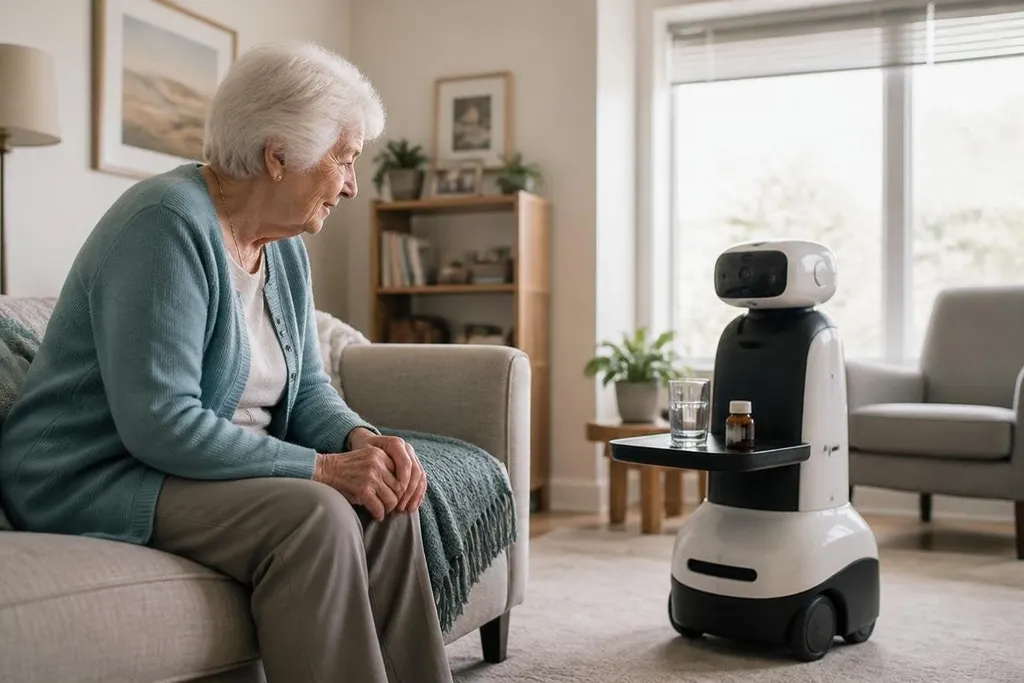
One system may remind someone about a medicine, carry a small load, or call a family member after a fall. It cannot replace a nurse, family visit, or a trained person who can judge a changing situation.
For an older adult living alone, the useful question is which task the robot can handle safely every day.
Quick read
- Best fit: reminders, video calls, simple transport, and alerts
- Main limit: robots struggle with messy homes and changing needs
- Buying rule: test the full care routine, not a staged demonstration
Start with one job
Care is a wide word. A robot that reminds someone to drink water has a very different job from a robot that helps them stand, walks beside them, or carries a meal.
The narrow task matters because each job needs different hardware and checks. A reminder system needs a speaker, screen, clock, and connection. A mobility robot needs sensors, motors, brakes, and a way to stop when a person or object blocks its path.
That distinction also changes the risk. A missed reminder may cause concern. A wrong movement near someone using a walker can cause a fall. The robot should match the person’s real needs, room layout, and ability to recover when the system stops.
What robots can handle
Simple, repeated tasks are the best starting point. A robot can speak a scheduled reminder, connect a person to a video call, carry an item across a level floor, or send an alert when its sensors detect a possible problem.
These tasks can help with daily routines when the person agrees to them and knows what the robot can do. A screen or speaker also gives the person a clear way to cancel a reminder, call for help, or report a fault.
Fall detection needs care in the wording. A camera, radar sensor, or wearable may detect a person lying on the floor, but detection does not mean the robot can lift them. The useful action may be an alert to a family member, care worker, or emergency service.
A fall alert can summon a person, but it cannot prove that an older adult can live safely without daily support. A report on Robot24.com should separate the alert from the response that follows, so the robot’s role stays tied to a real care task. The next limits appear when that task takes place inside the home.
Where the hard limits appear
Homes are not clean test areas. Rugs move, chairs shift, pets cross the route, and a person may leave a bag in the robot’s path. A machine that works on a clear floor may stop often in a real flat or house.
Care also changes from one day to the next. An older adult may walk safely in the morning and need more help after an illness, poor sleep, or a new medicine. A robot can follow its programmed rules, but it cannot make a full health judgment without a person or a separate clinical system.
Privacy needs the same attention as physical safety. A camera, microphone, or location sensor may collect details about movement, visitors, conversations, and health routines. Before a trial, ask where that data goes, how long it stays there, who can view it, and how the system stops recording.
The social side needs a plain answer too. A robot may make contact easier, but a call button is not a friendship. If the machine reduces visits because others assume the robot has taken over, the trial has gone in the wrong direction.
The cost is more than the robot
The purchase price tells only part of the story. You may also need setup, a stronger Wi-Fi connection, charging space, software fees, repairs, and training for the person using it.
Someone in the family or care team may need to check alerts and update schedules. That work takes time, even when the robot performs its task well. Ask who will respond at night, what happens during a network outage, and how the person gets help when the robot fails.
I’d skip any system that cannot explain its failure state in plain language. A care robot should say that it stopped, show why it stopped when possible, and give the person another way to get help.
A practical trial checklist
Use this list before buying or placing a care robot in someone’s home:
- Name the task: write down the exact job, such as a 9 a.m. medicine reminder or a video call at 6 p.m.
- Map the room: check doors, rugs, steps, narrow routes, charging space, and places where the robot may get stuck.
- Test missed events: see what happens when the person ignores a reminder, leaves the room, or presses the stop control.
- Set the human response: name the person who receives alerts and the time they are expected to answer.
- Check the data: ask about cameras, microphones, storage, access, deletion, and operation during an internet outage.
- Set a review date: after two weeks, count useful alerts, false alarms, stops, and tasks completed without help.
A trial should end with a decision based on those records. Keep the robot when it completes the named task without adding more work than it removes. If it needs constant rescue, a simpler device or a human service may fit better.
Care robots can support older adults when their job is small, visible, and backed by a person who can step in. The next useful test is not a polished demo; it is whether the robot completes one real home routine for 14 days without creating a new care problem.